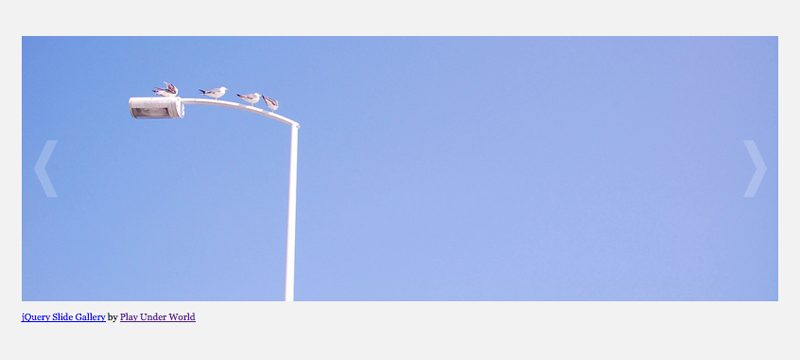
CSSとjQueryを使ったスライドショーを作ったのでエントリー。

デモページ
スライドさせたい画像と「次へ」と「戻る」があるだけのシンプルな構造です。
ほっとくと自動でスライドしたりします。「次へ」と「戻る」のどちらかを押せば止まります。
HTML
[html]
[/html]
CSS
[css]
#container {
margin: 0 auto;
width: 800px;
}
#nav {
margin-top: 100px;
width: 800px;
position: relative;
}
#imgPrev, #imgNext {
width: 50px;
height: 100%;
position: absolute;
top: 0;
}
#imgPrev {
left: 0;
background: url(images/arrow_left.png) no-repeat center center;
}
#imgNext {
right: 0;
background: url(images/arrow_right.png) no-repeat center center;
}
#imgPrev a, #imgNext a {
width: 50px;
height: 100%;
text-indent: -9999em;
display: block;
overflow: hidden;
}
#imgArea {
width: 100%;
height: 100%;
overflow: hidden;
}
#imgWrap li.img {
list-style-type: none;
}
#imgWrap li.img a {
margin: 0;
float: left;
width: 800px;
height: 280px;
display: block;
}
[/css]
jQueryの設置
jQueryを設置するには「公式サイト」からライブラリー本体をダウンロードして使うか、Googleが提供している「Google AJAX Libraries API」を使うかします。
今回はダウンロードしなくてもjQueryを利用できるので「Google AJAX Libraries API」を使っています。
使い方は簡単。以下のコードを書き込むだけです。
[javascript]
[/javascript]
JavaScript
[javascript]
$(function(){
//横幅の設定
$(“#imgWrap”).css(“width”,800*$(“#imgWrap li.img”).size()+”px”);
$(“#imgWrap li.img:last”).prependTo(“#imgWrap”);
$(“#imgWrap”).css(“margin-left”,”-800px”);
//戻るの設定
$(“#imgPrev”).click(function(){
$(“#imgWrap”).animate({
marginLeft : parseInt($(“#imgWrap”).css(“margin-left”))+800+”px”
},”slow”,”swing” ,
function(){
$(“#imgWrap”).css(“margin-left”,”-800px”)
$(“#imgWrap li.img:last”).prependTo(“#imgWrap”);
});
});
//次への設定
$(“#imgNext”).click(function(){
$(“#imgWrap”).animate({
marginLeft : parseInt($(“#imgWrap”).css(“margin-left”))-800+”px”
},”slow”,”swing” ,
function(){
$(“#imgWrap”).css(“margin-left”,”-800px”);
$(“#imgWrap li.img:first”).appendTo(“#imgWrap”);
});
});
//マウスオーバー時の戻ると次への設定
$(“#imgPrev,#imgNext”).fadeTo(0,0.2);
$(“#imgPrev,#imgNext”).hover(function(){
$(this).fadeTo(100,1);
},
function(){
$(this).fadeTo(200,0.2);
}
);
//自動スライド
var timerID = setInterval(function(){
$(“#imgNext”).click();
},8000);
$(“#imgPrev a,#imgNext a”).click(function(){
clearInterval(timerID);
});
});
[/javascript]
今回はシンプルなものだったので、次は凝ったものを作ってみようかなとか思っています。